

About the app
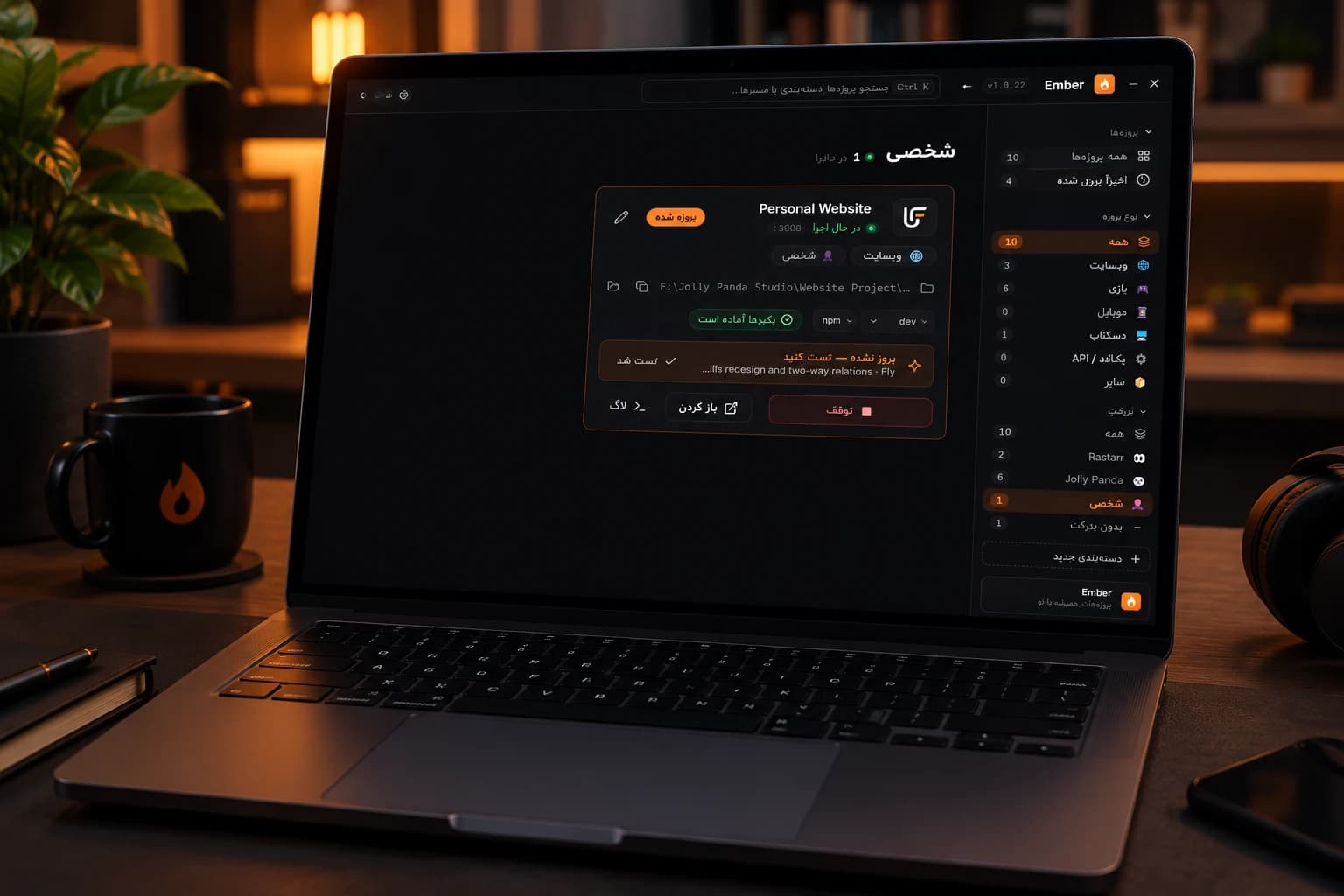
A Windows launcher for Node projects, in English and Persian: add a folder and Ember finds every project with a dev, start, serve or preview script, installs packages only when needed and runs it with one click, and flags projects whose code changed as “updated — test it”.
Problem
With many Node projects on one machine, running any of them means finding the folder, opening a terminal, remembering the script and port, and reinstalling packages when they are out of date. Ports collide, servers from earlier sessions keep running unnoticed, and it is easy to forget which projects changed since you last tested them.
Solution
Ember scans the folders you add and shows every package.json with a runnable script as a card. One click picks the script, installs packages with npm, pnpm, yarn or bun only when node_modules is missing or older than the lock file, and starts the project on its remembered port, reconnecting to it if it is already running or moving to the next free port when another program holds it. Each project has its own window with a live log and an auto-detected local URL. Projects are organised with your own categories, show their own favicon or logo, and get an “updated — test it” badge and a Windows notification when a new commit (or newer files) appears; Ember also fetches upstream every few minutes and offers a fast-forward pull. Ember updates itself from GitHub Releases, verifying every download against SHA-256 checksums, while running projects keep going.
App details
- Release date
- Oct 2026
- Status
- Shipped
- Genre
- Tool
- Type
- Personal project
- Platforms
- Desktop
- Target Audience
- Developers on Windows who juggle several Node projects (websites, games, mobile and desktop apps) and want to run, monitor and keep them up to date without opening a terminal for each.
- My Role
- Product idea, design and full development: project discovery, package and port management, the Electron UI in English and Persian, git integration, the self-updater and the automated build and release pipeline.
- Duration
- < 1 mth
Feature Highlights
Run with one click
Every package.json with a dev, start, serve or preview script becomes a card. Pick the script, press play, and the local URL is detected from the output.
Install only when needed
npm, pnpm, yarn or bun install runs only when node_modules is missing or older than the lock file.
Ports that just work
Each project remembers its port, reconnects to a server that is already running, and moves to the next free port when another program holds it.
A window per project
Open any project in its own window, with its buttons on top and the live log below: follow, copy or clear.
“Updated — test it”
A new commit, or newer files in folders without git, puts a badge on the card and sends a Windows notification until you run or test it.
New commits on GitHub
Ember fetches upstream every few minutes and shows unpulled commits with a one-click fast-forward Pull.
Your own categories
Organise projects by type, client or status, each value with its own icon and name, and filter or search by any of them.
Updates itself, privately
New versions download from GitHub Releases, are checked against SHA-256 checksums and install silently. No accounts, no telemetry.
Technologies & skills
- HTML, CSS & JavaScript
- Git & GitHub
- Node.js
- Electron
- electron-builder
- GitHub Actions
Lessons Learned
A launcher has to respect what is already running: reconnecting to a server on its known port is far better than starting a second copy, and only ports of live projects should be treated as taken. Self-updating desktop apps need checksums and a silent, restartable install path to be trusted. Releasing on every push to main with GitHub Actions keeps the app, the changelog and the in-app update check in step.